
Choose cards and foil finishes when importing a list
Choose between matching card names
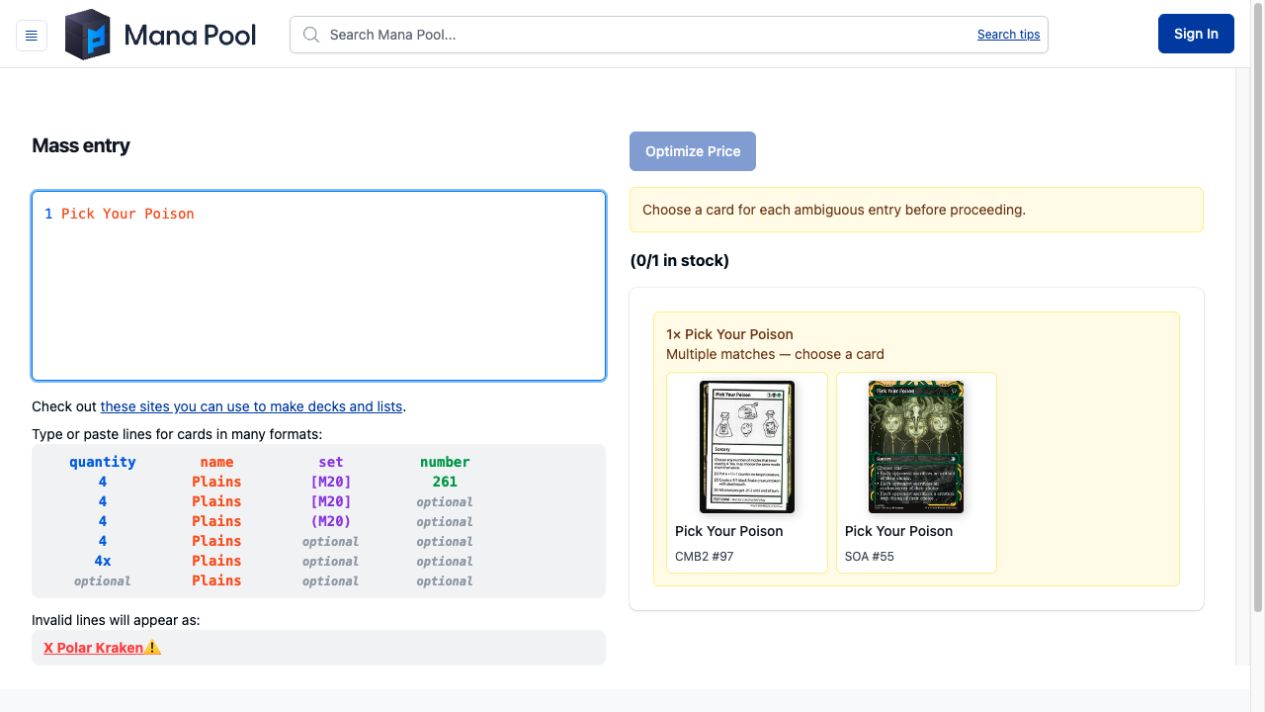
Sometimes, when you import a list into Mana Pool and don’t specify set codes, card names can match more than one card.
This usually doesn’t come up, but some cards are odd. For example, Pick Your Poison is the name of two real cards. One is a normal card, and the other is a playtest card from Mystery Booster.
In the past, we’d just sort of pick one, but now we let you choose.
Import foil preferences
Mass Entry now reads the *F* foil marker used in Moxfield text lists. Leave it at the end of a line when you paste your list into Mana Pool, or add it yourself to prefer foil copies.
You don’t need to specify a printing. This works with just a card name and quantity.
1 Lightning Bolt *F*
You can also include a set code and collector number.
1 Llanowar Elves (DOM) 168 *F*
That second line specifies Dominaria card 168. Choose Exact to use the printing details in your list, or Any Printing to allow other printings. The foil preference applies in either mode. A set code or collector number on its own doesn’t request foil. Keep the *F* marker if that’s what you want.
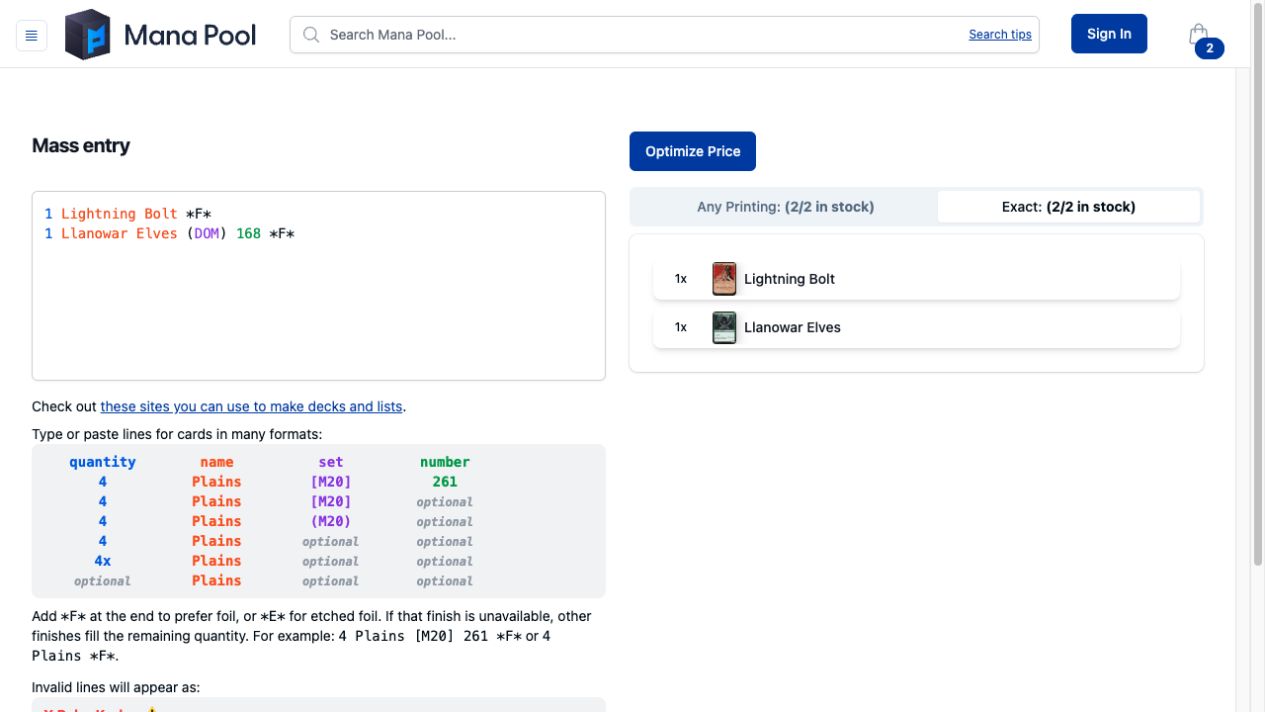
Use *E* instead of *F* to prefer etched foil. These markers are preferences, not foil-only filters. If there aren’t enough copies in the requested finish, other finishes can fill the remaining quantity.
When you click Optimize Price, the optimizer starts with Finish set to Match cards in cart to preserve the finishes selected during import. Check the selected cards before buying, especially if you only want a particular finish.