
What's new on Mana Pool: July 3 – October 2
Here’s a look at the biggest buyer- and seller-facing changes on manapool.com since the July 2 roundup.
For Buyers
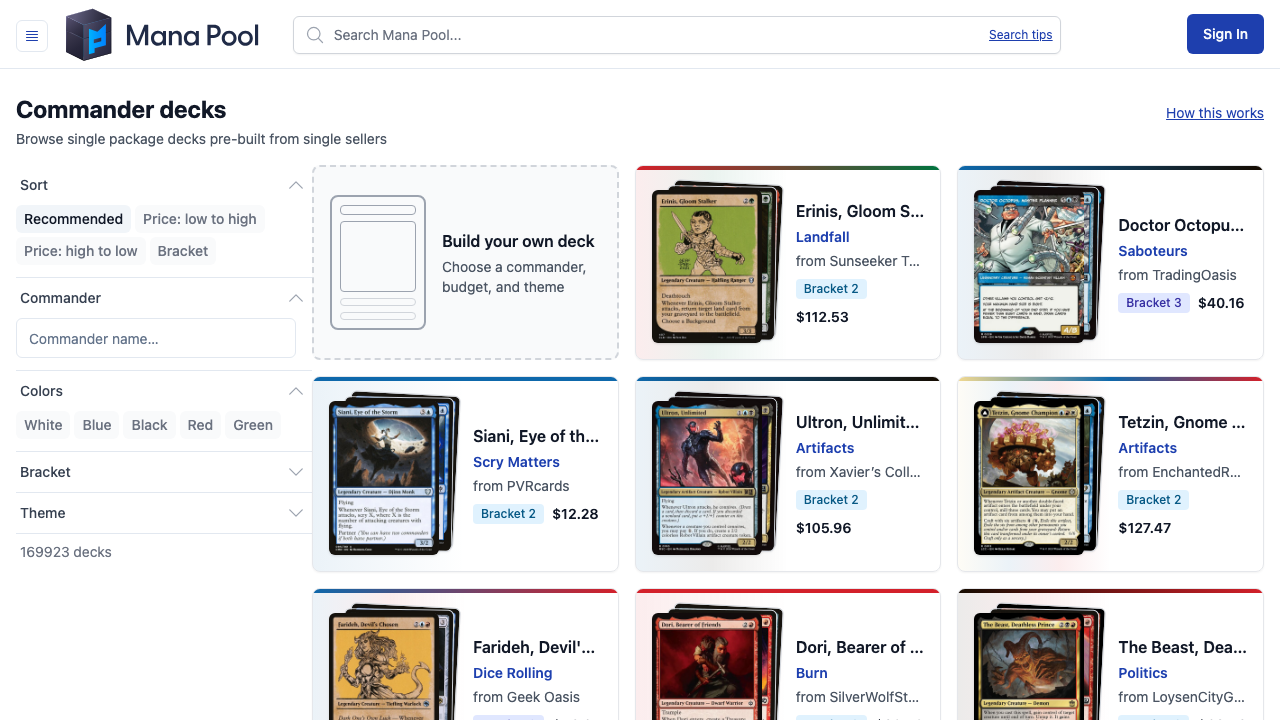
Build and shop Commander decks across Mana Pool
The Decks section lets you browse public Commander decks, inspect full decklists, and see pricing from current seller inventory. You can also build a deck around a commander, budget, and theme.
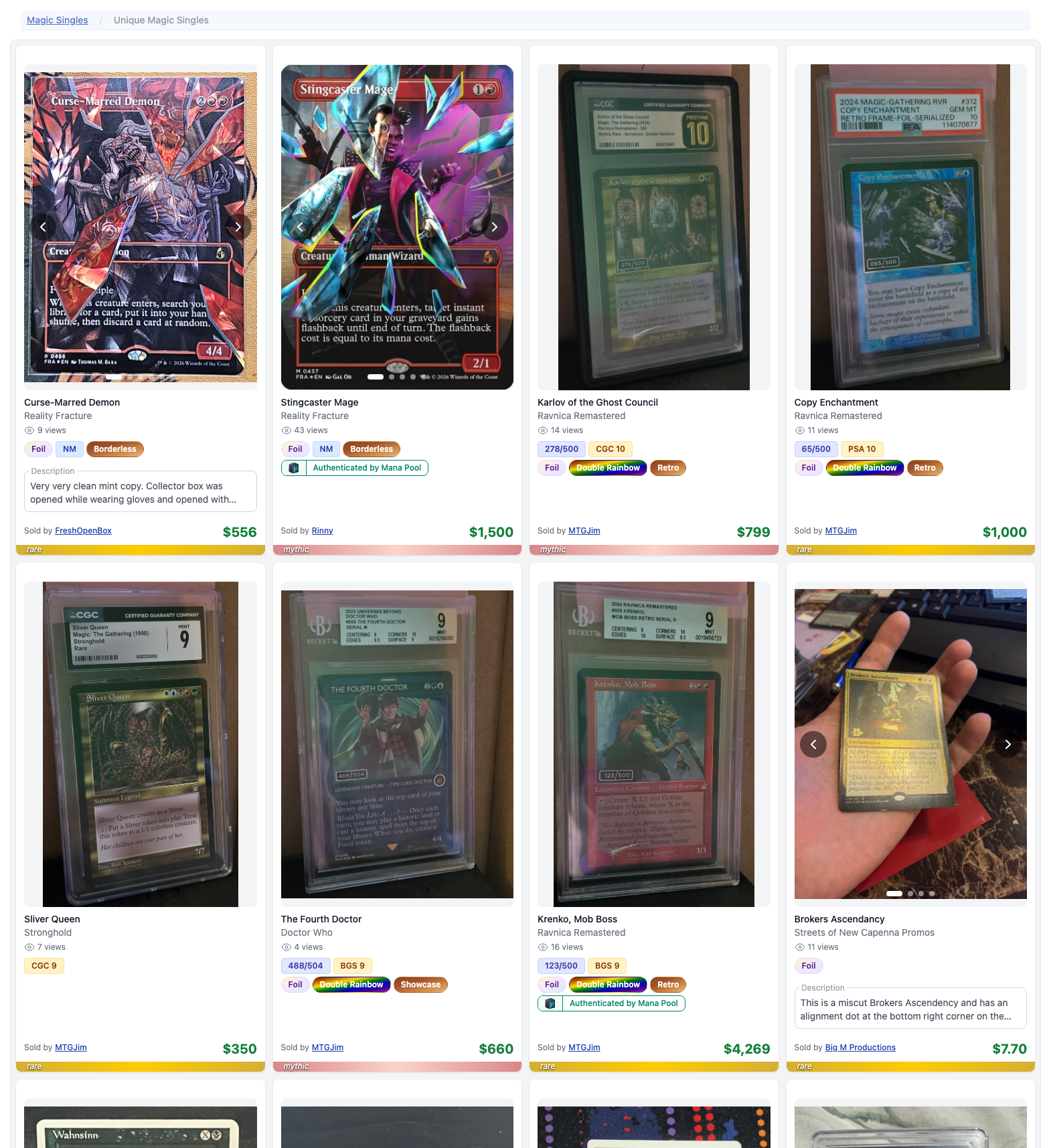
Browse one-of-a-kind cards
The Unique Cards section brings individual listings together, with seller photos and descriptions for signed, altered, graded, and other distinctive cards.
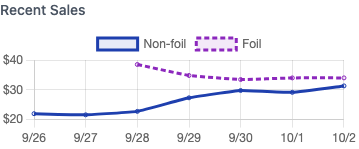
Market prices, foil trends, and more card details
Card pages show market prices and separate recent-sales trends for foil and non-foil cards, alongside set number, rarity, artist, legal formats, and release dates. Order-issue reports also show the reporting window and deadlines before you submit.
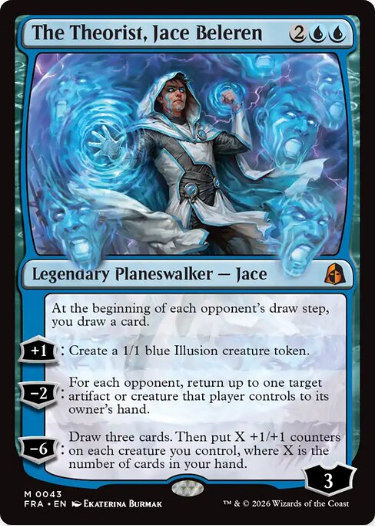
The Theorist, Jace Beleren, from the new Reality Fracture set.
For Sellers
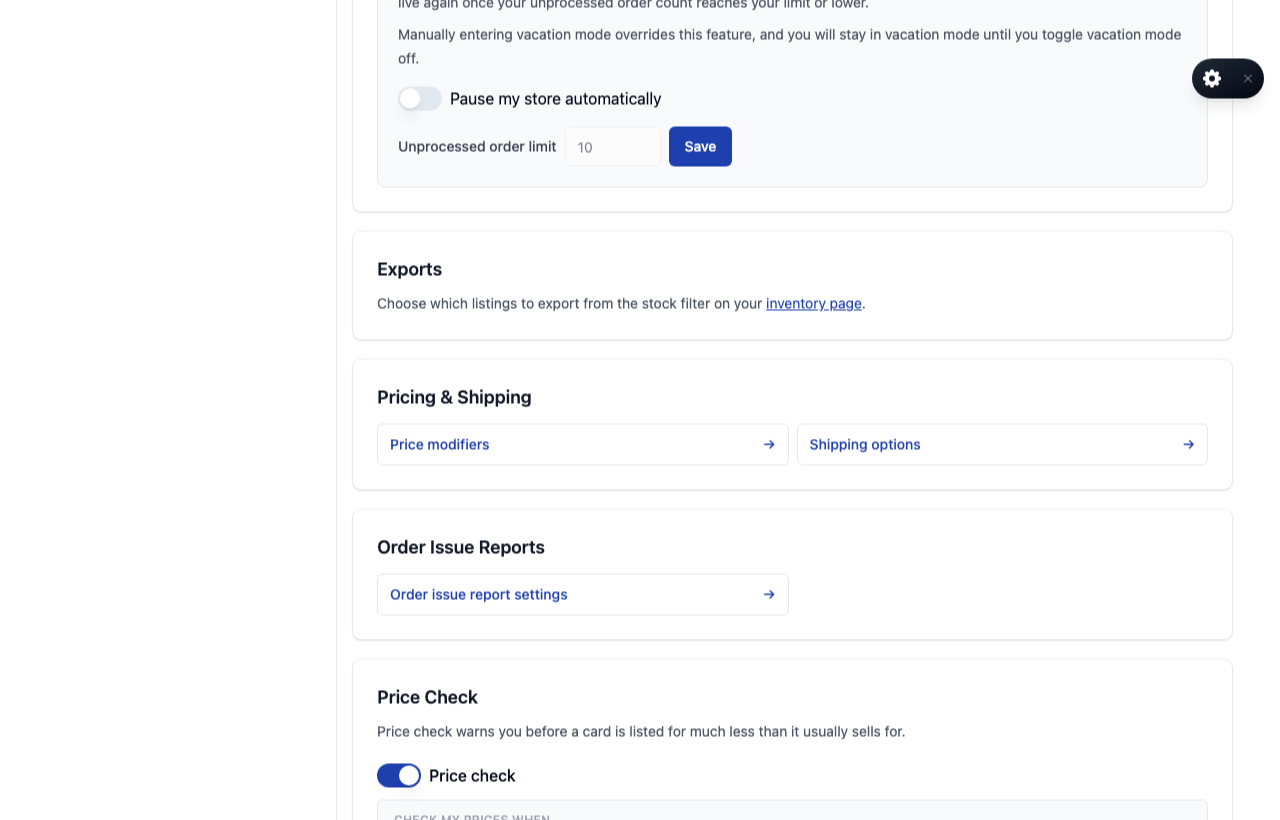
Pause new orders when you need time to catch up
Sellers can set an unprocessed-order limit that automatically pauses their inventory when the backlog reaches it. The seller Settings page also got an overall facelift, bringing store controls and preferences into a clearer layout.
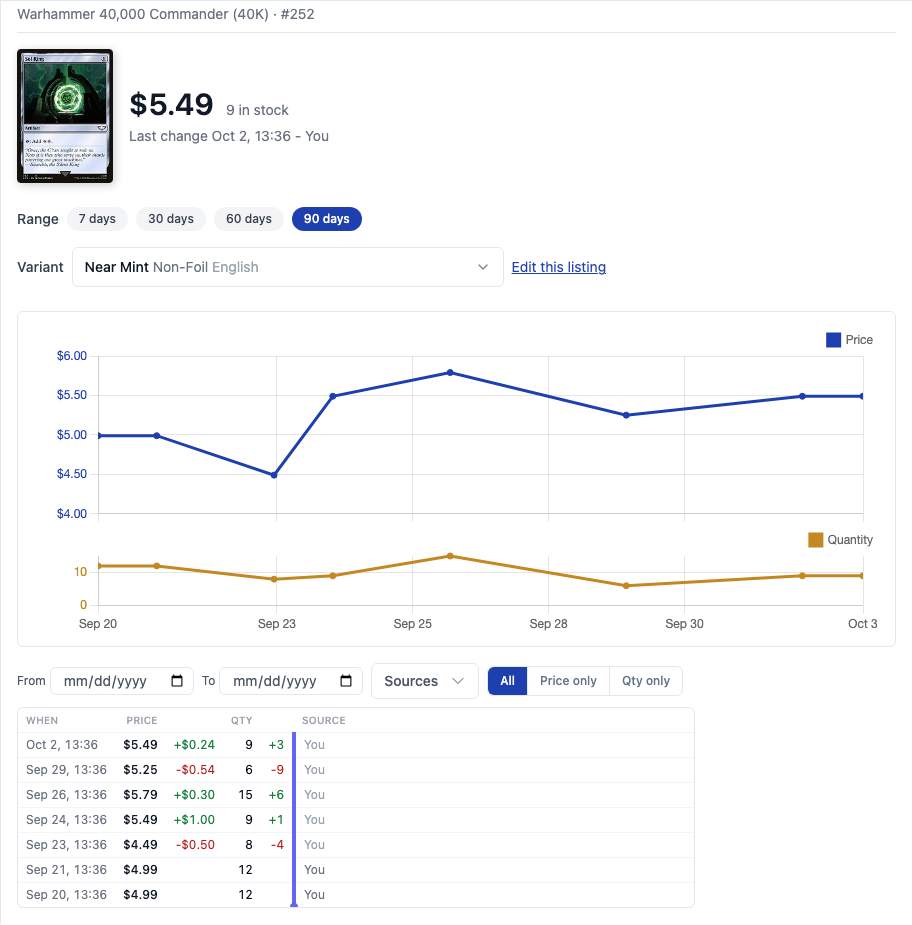
Review your inventory history
Open a listing’s History link from your inventory to see the item alongside its price and quantity changes over time.
More updates
- Restored buyer username and profile-photo settings after seller onboarding changes had hidden them.
- Save favorite stores.
- Sellers can now report buyers on orders, and Mana Pool will have a look.
- Added more sealed product images.
- Unique-card past sales now omit items with reported issues or a failed final verification.
- Gather & Verify order pages link UPS tracking numbers directly to the carrier.
- Seller inventory now groups add-item actions, moves stock filters into the Filters menu, and includes sold-out listings of any age in search and exports.
- Card browsing can filter by creature type, such as Goblin, and includes six additional formats: Pauper Commander, Oathbreaker, PreDH, Duel Commander, Premodern, and Old School.
- A new Decks tab gives sellers a checklist of the inventory requirements for generated decks.
- Sellers can connect ShadowPOS from Integrations with a guided setup.
- Seller profiles link to an explanation of how Mana Pool counts business days for the shipping expectation.
- Gather & Verify choices and totals show the quoted service amount, or “Included,” through cart, checkout, order details, and receipts.
- Card grids in public lists load sharper images, including on high-resolution screens.